


Hello Austin,
Thanks for using our app and i am truly sorry for the late reply. This is Dorothy and i hope to be able to help you.
To start with, to help us make better analysis and provide you with solution soon, would you please kindly send log file to cs@imobie.com for further diagnosis? It will be appreciated for your generous forgiveness and kind feedback.
It is easy to do so: click the Feedback menu tab > Write your mail address and description of the issue > Click submit button to send log file as attachment.
Windows: http://my.imobie.com/support/upload_imgs/send-log-ati-win.png
Mac: https://my.imobie.com/support/upload_imgs/ati-mac-log.png
Secondly, in order to transfer contacts between iOS devices successfully, would you please try the alternative method below?
1. Please search AnyTrans app from App Store and download & install it on your device.
2. Please launch AnyTrans on your device > Click “Connect to Phone” option to connect another iOS device (Please make sure your two devices are connected to the same Wi-Fi)
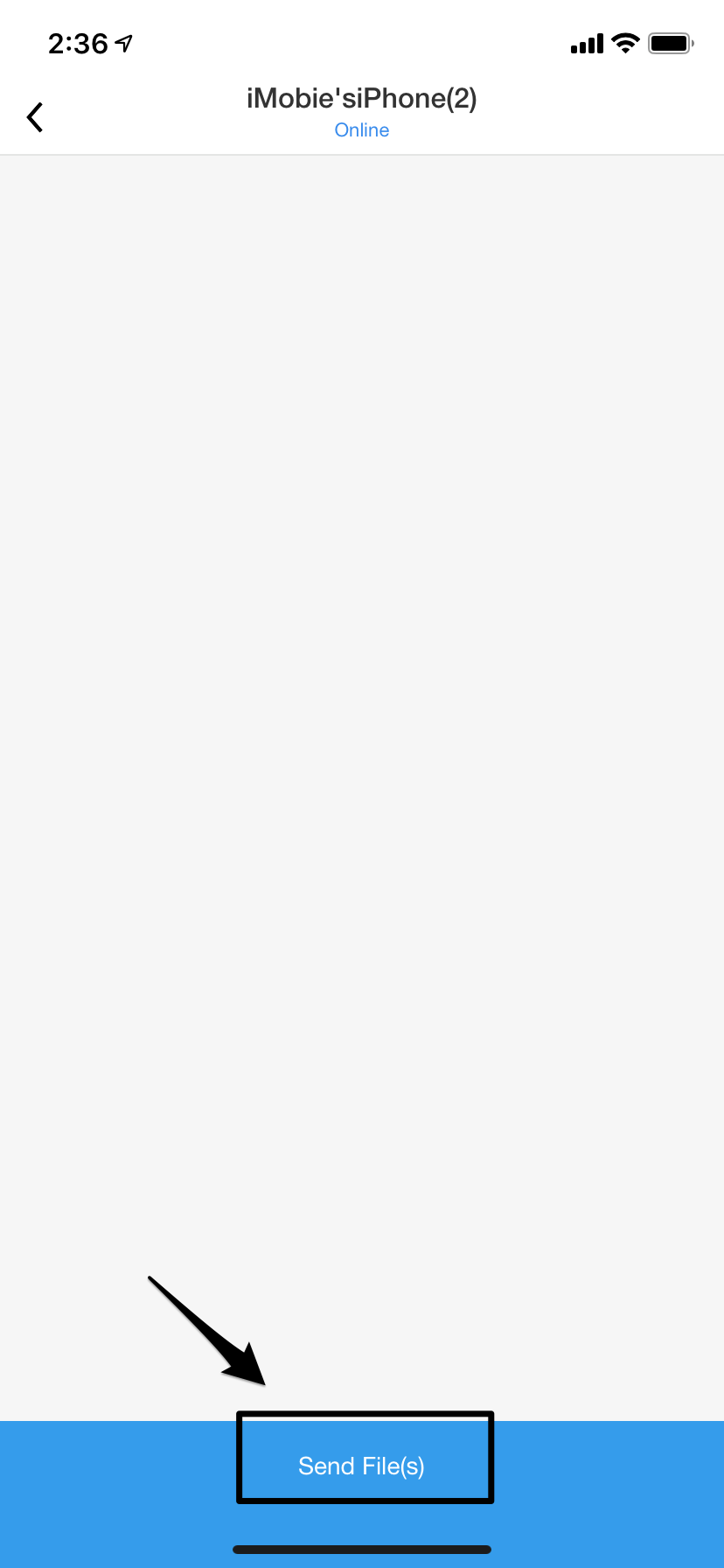
All the devices that are in the same WiFi connection will be displayed as below. Please click the device you want to transfer contacts to > Click Send File(s) option.

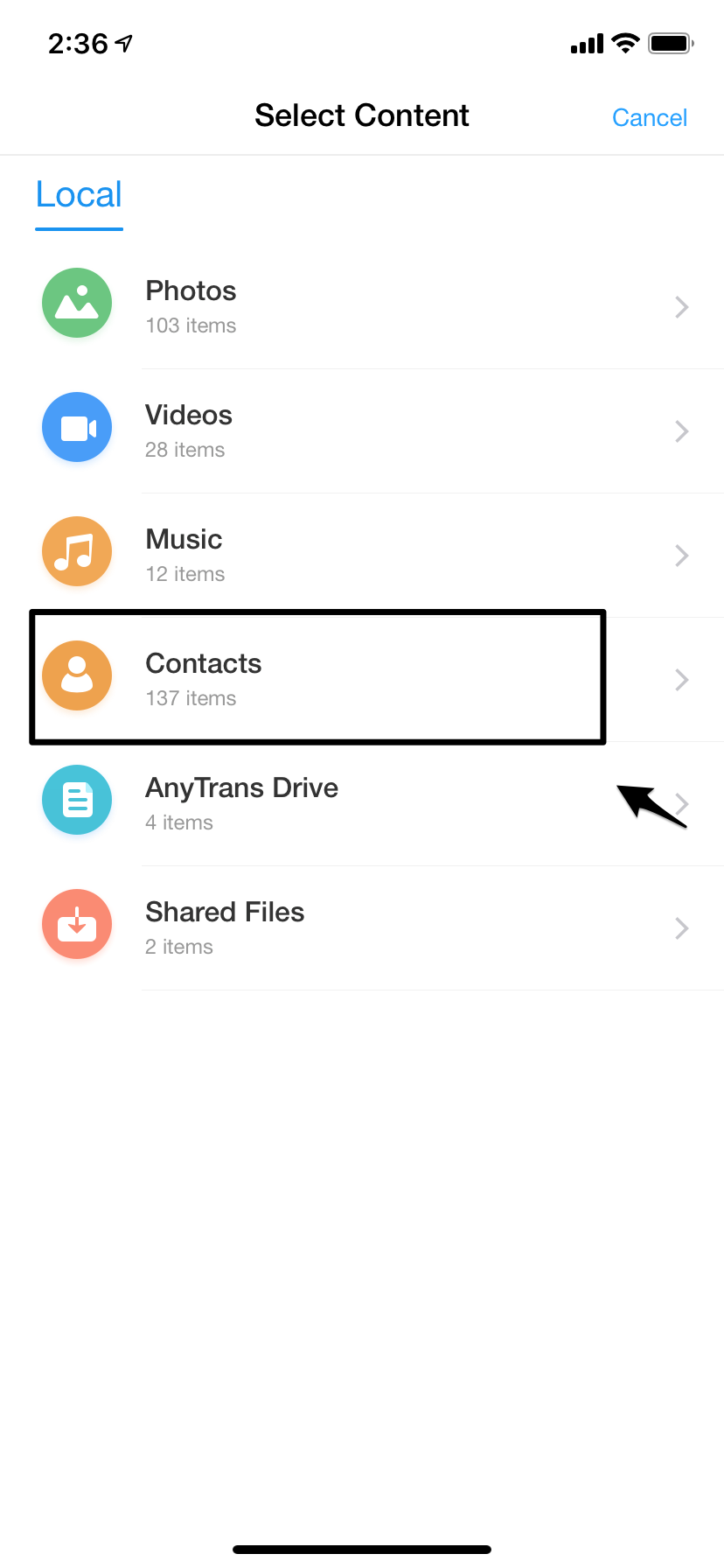
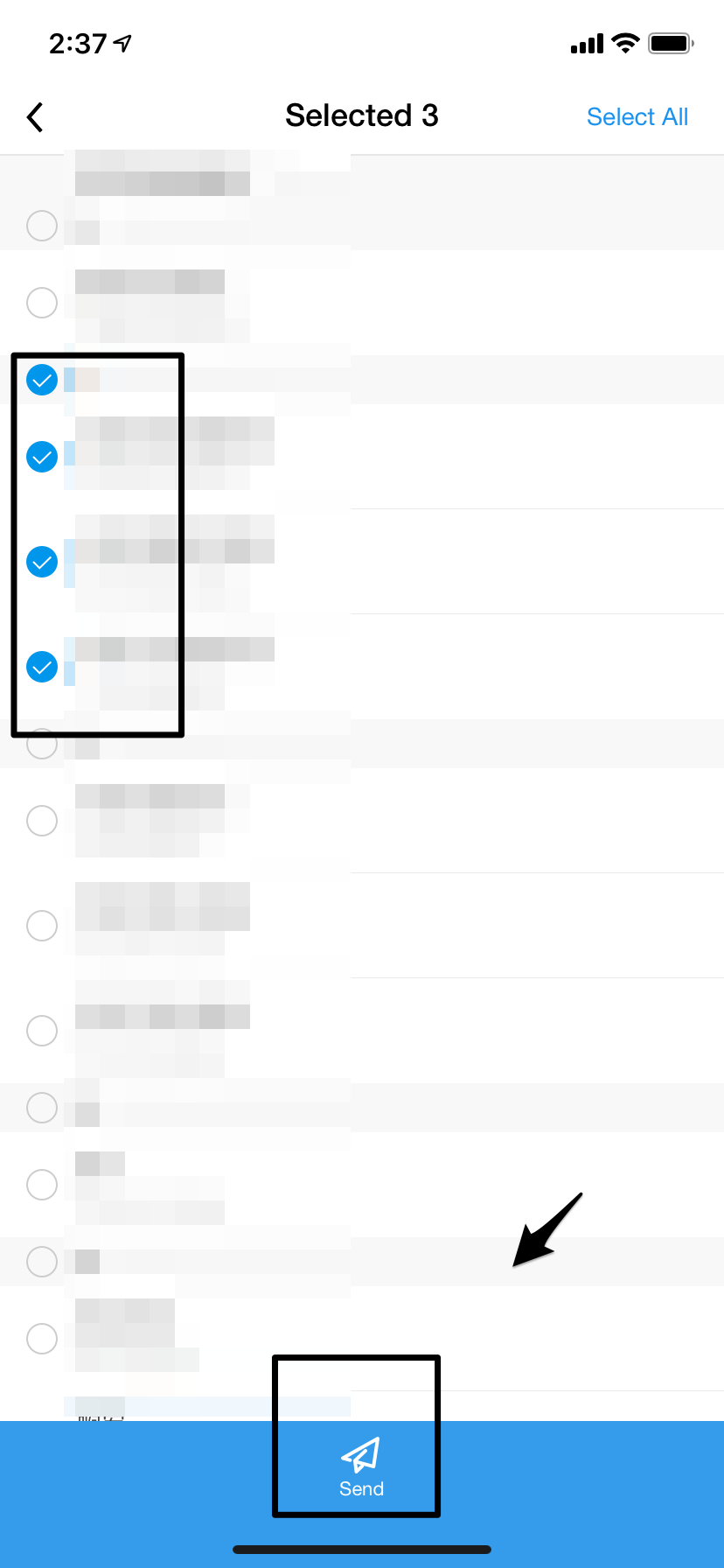
3. Please click contacts option > select the contacts > Click Send button.
 Please kindly tell me whether it works for you or not.
I‘m looking forward to your reply.
Thank you so much for your cooperation and understanding in advance.
Best Regards,
Dorothy
Be the first to post a comment.